Annotation-to-AI requests
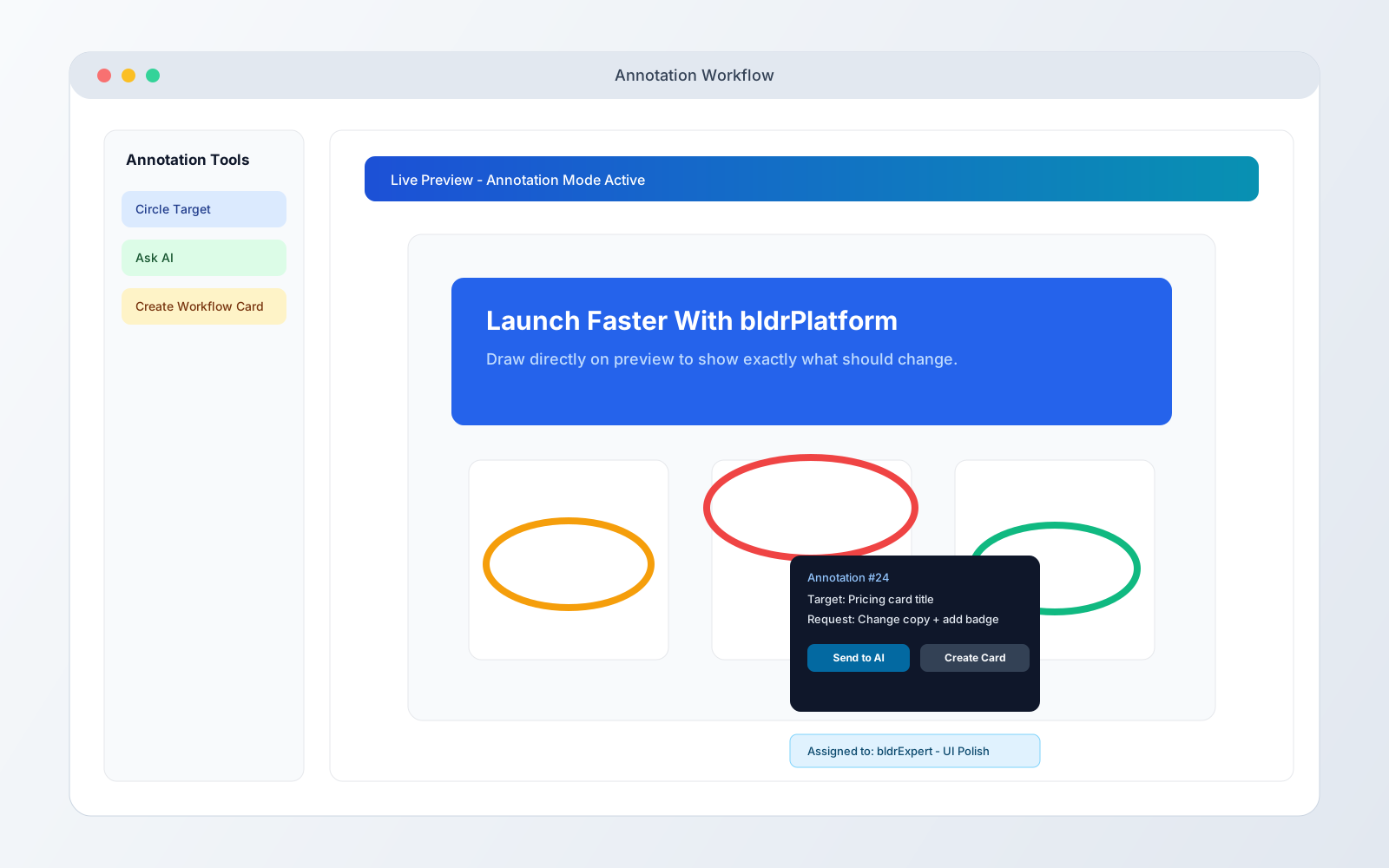
Use the annotation button to circle any part of the screen and ask AI to handle the update from that visual context.
Explain less. Point once and get precise edits faster.
Project Build Screen
Build your project in seconds using a full-featured development environment and an AI that can build, refactor, fix, and extend your product through conversation. Write code when you want to. Let the AI handle it when you don't.
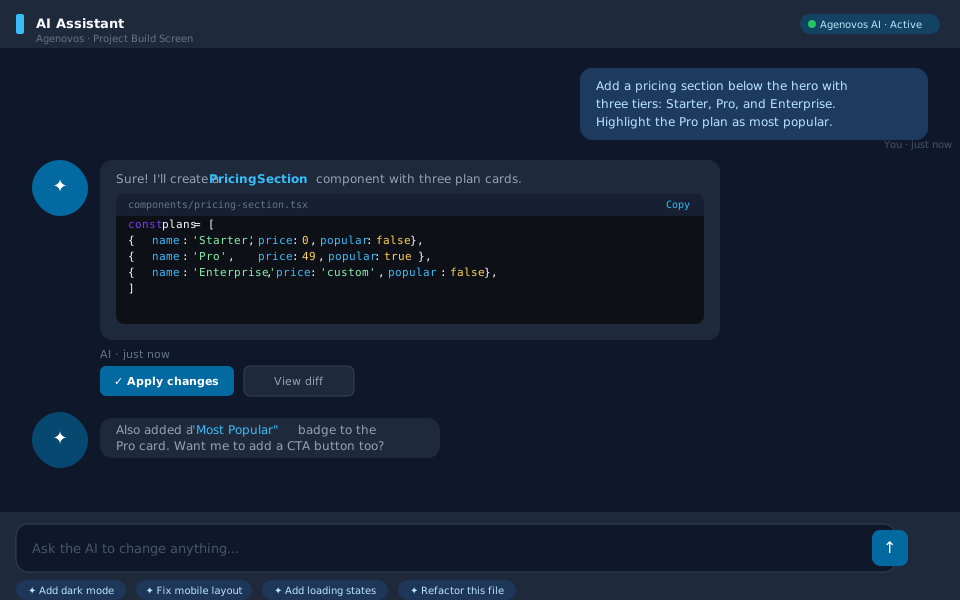
AI at the core
The AI chat panel is the fastest way to build. Describe a feature, paste a design, point to a bug — and the AI writes, edits, and wires up the code across your entire project. You stay in control at every step, with the option to review every change before it lands.
Tell the AI what you want in plain language. It reads your codebase, writes the implementation, and commits the changes — no prompt engineering required.
Ask the AI to extract a component, rename a pattern across files, split a large function, or migrate to a new library. Complex refactors that take hours manually happen in seconds.
Describe the broken behavior and the AI traces the issue through your code, proposes a fix, and applies it. No stack trace hunting, no manual bisection.
The AI understands your entire codebase, not just the open file. It references your types, your existing utilities, and your project conventions before writing a single line.
Canvas screen
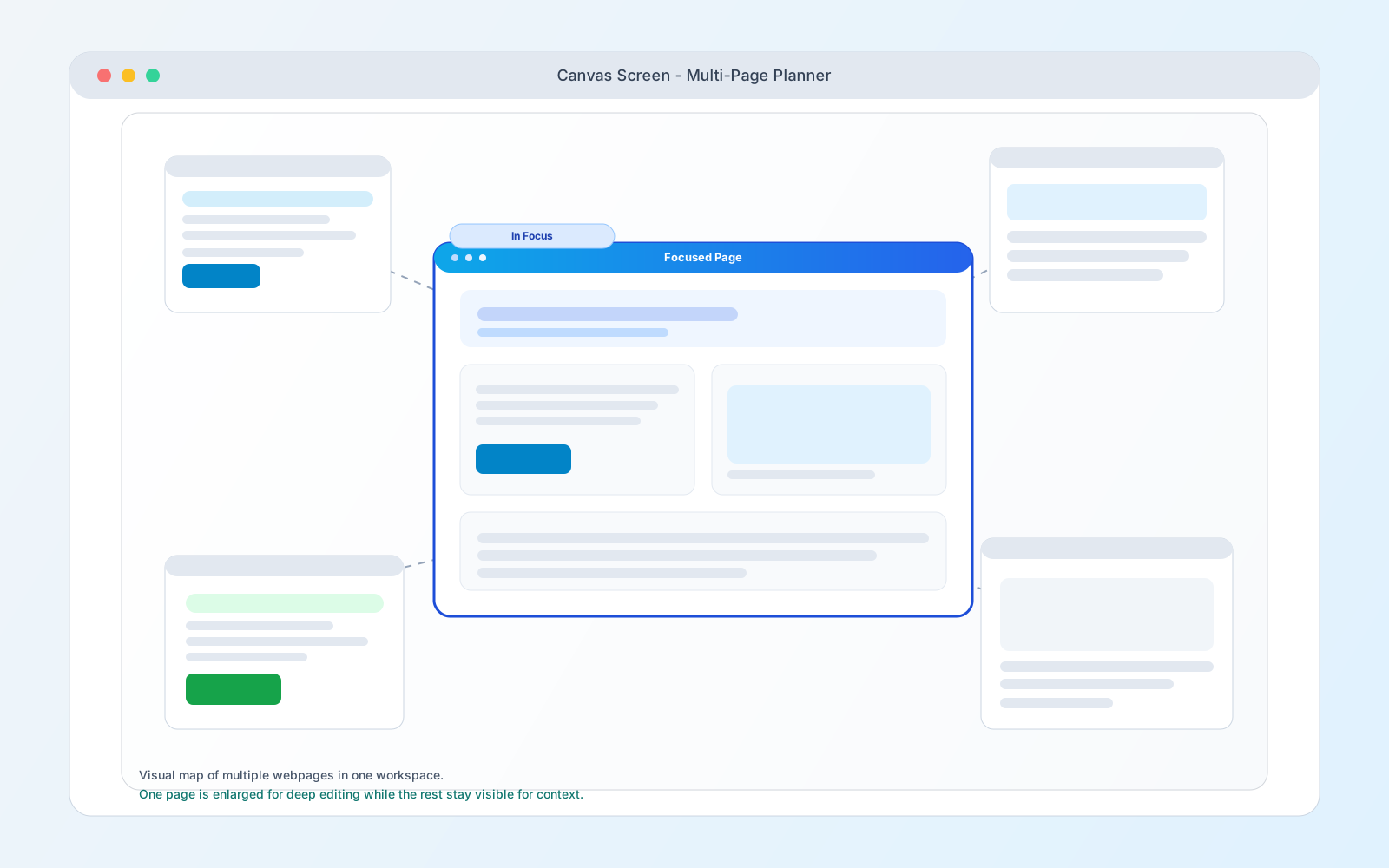
The canvas gives you a visual command center for your build. Map sections, flows, and feature blocks in one place, then use the AI agent to turn those ideas into real implementation tasks.
Preview + on-screen edit
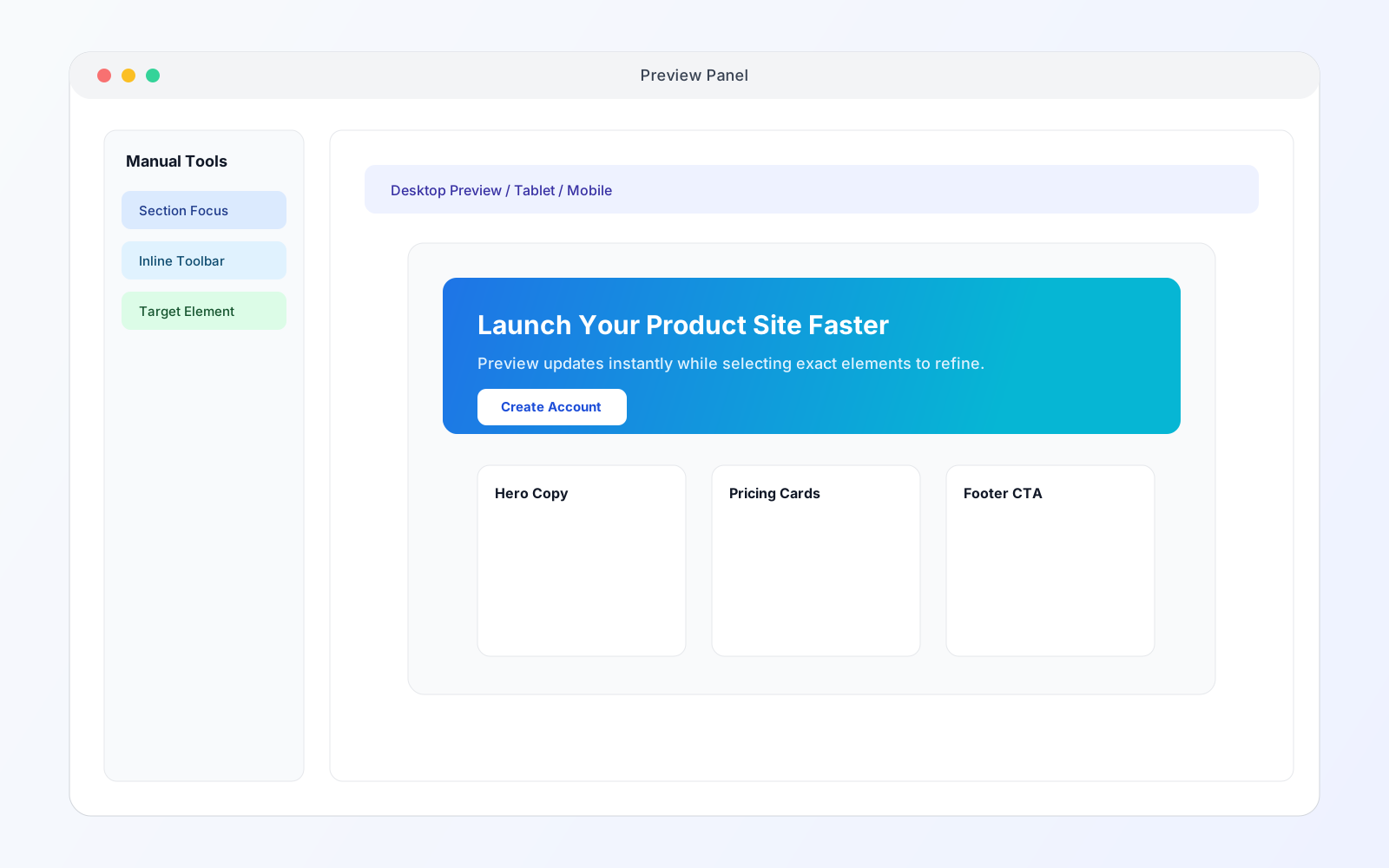
Click any element on screen, then decide how to execute: ask AI to implement it automatically or make quick direct edits like text and content updates in place. You stay in flow while the platform handles the code-level precision.
Every update syncs to real project files and refreshes preview instantly. For visual feedback and handoff clarity, use the annotation button to circle exactly what should change, then either send it to AI or convert it into a workflow card for bldrExperts and teammates.
Element-first editing
Select an element, ask AI to change it, or quickly edit text directly in preview.
Annotation handoff
Circle what matters, send to AI, or create a workflow card with visual context attached.
bldrPlatform professional tools
Highlight exactly what needs to change, route it to AI instantly, or convert it into a workflow card your team can execute without confusion.
Use the annotation button to circle any part of the screen and ask AI to handle the update from that visual context.
Explain less. Point once and get precise edits faster.
Drop annotations directly on the exact section, component, or copy block that needs work so the request is always anchored to the right location.
No long explanations about where the change should happen.
Turn an annotation into a workflow card so bldrExperts and other teammates see the exact location and requested change.
Clear handoffs without long paragraphs or back-and-forth confusion.
Built-in IDE
The code editor is designed for developers who expect more than a text box. Multi-tab workflows, split views, an integrated terminal, and keyboard-driven navigation — everything you rely on in your local environment is here, in the browser, with your project already loaded.
Open and edit multiple files simultaneously with a familiar tabbed interface. Switch between components, configs, and stylesheets exactly as you would in VS Code.
Divide the editor into side-by-side or stacked panes. Compare two files, keep a reference open while editing, or monitor a config alongside the file that consumes it.
Run any command directly inside the build screen — npm scripts, git operations, custom CLI tools, or build pipelines. Full shell access, no context switching required.
Navigate your entire project structure from a persistent sidebar. Create, rename, move, and delete files without leaving the editor.
Language-aware editing with rich syntax highlighting, inline error markers, and code completion across TypeScript, JavaScript, CSS, JSON, and more.
Command palette, keyboard shortcuts, and quick-open file search built in. Every action you rely on day-to-day is available without reaching for the mouse.
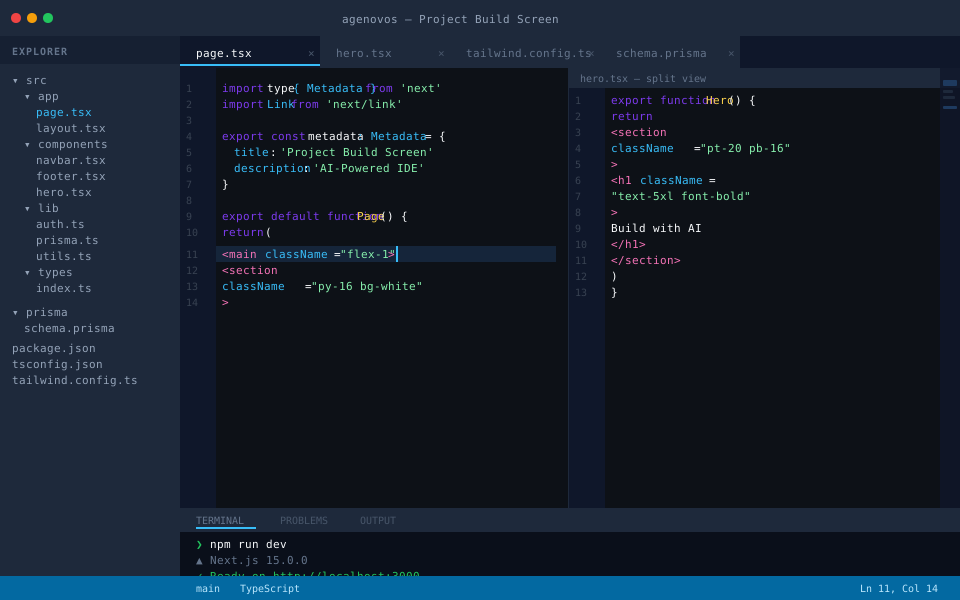
The AI handles the vast majority of the build — generating pages, writing logic, connecting APIs, and iterating on design — so you don't have to. But the full source is always open. If you want to inspect what was written, adjust a detail by hand, or take over a section entirely, the editor is right there.
There's no hidden abstraction layer, no locked-in output. The AI writes real code into real files. What you see in the editor is exactly what runs in production.
bldrPlatform is a full autonomous app development and growth system with AI execution, live visual workflows, structured collaboration, and deployment-ready output. Replace guesswork with a process built to ship.
Create accountAI + IDE
Chat with AI to build features, fix bugs, and refactor flows while staying inside a full professional editor.
Learn more ->
Live preview + Canvas
Watch your product update in real time and map your entire page structure visually before rollout.
Learn more ->
Annotations
Circle any change, let AI execute instantly, or route it for review with exact visual context attached.
Learn more ->
Workflow Board
Move work through structured stages with AI execution and human approvals at every critical decision point.
Learn more ->
Rapid Prototyping
Validate ideas with clickable prototypes and live previews in hours.
Feature Requests
Track product ideas, roadmap feedback, and community suggestions.
bldrBattle: Force
See the working-pro event, prizes, and what competitors can expect.
Talk to us about partnerships, support, and sales.